Gradio with Vertex AI Agent Engine
Stop thinking of agents as just chat boxes. Learn how to integrate agents deployed on Vertex AI Agent Engine into any custom application, starting with a local Gradio app. This guide walks you through the manual integration process, highlighting how agents function as flexible APIs that can bring intelligence to every corner of your product.
Introduction
In this post, we'll explore how to consume an agent deployed on Vertex AI Agent Engine through a custom local Gradio app.
Currently, because things move so fast and libraries are still stabilizing, it's difficult to get an end-to-end solution working through LLM-generated code (Gemini, ChatGPT, Claude).
Anyway, I think it's important to understand how agent integration actually works within an application. There's a lot of misunderstanding regarding the different ways to test and deploy agents—and what they actually are, but that's a story for another time.
At a high level, agents surface an API interface wrapped by an SDK to simplify interactions (specifically session management, persistence, etc.). Agents don't need to live in a chat input box.
Once you learn how to manually integrate and call an agent through Gradio, you'll be able to integrate your agents anywhere.
I believe the real power of agents will be realized through custom integrations. You won't even realize that when you're clicking a button, an agent/LLM is actually thinking through your request instead of just executing deterministic functions.
Intelligence will complement our apps and enable us to do things that previously required a massive amount of business logic. Instead, we will leverage LLMs, tools, and system instructions to define the input, output, and rules.
Let's get started.
Setup
We need to set up a new project. These days, I typically use uv. If you don't have it installed yet, follow these installation steps.
Additionally, make sure you are authenticated with Google Cloud locally by running gcloud auth application-default login
Since libraries are constantly evolving, I suggest you use the exact versions provided above. You can copy this into your terminal and everything should be set up properly.
Implementation
We'll need to create a .env file to hold our environment variables.
I am assuming you already have an agent deployed to Vertex AI Agent Engine.
If so, define the following environment variables using your agent's deployment settings. Navigate to Vertex AI → Agent Engine and copy the Resource name, from which you can easily extract all required settings: Project ID, Location, and the Deployed Agent ID.
1PROJECT_ID=""2LOCATION=""3AGENT_ID=""
Create a new file app.py. Add the following imports and load the environment variables using python-dotenv:
1import os2import uuid3import gradio as gr4from dotenv import load_dotenv5import vertexai6from vertexai import agent_engines78load_dotenv()910PROJECT_ID = os.getenv("PROJECT_ID")11LOCATION = os.getenv("LOCATION")12DEFAULT_AGENT_ID = os.getenv("AGENT_ID")1314vertexai.init(project=PROJECT_ID, location=LOCATION)
First, we need to set up the Vertex AI SDK using the init function.
Next, we need an object to manage our session variables.
1class AppSession:2 """3 Holds the state for a single user's browser session.4 """56 def __init__(self, agent_id=DEFAULT_AGENT_ID):7 self.user_id = str(uuid.uuid4())8 self.agent_id = agent_id9 self.remote_app = None10 self.session_id = None1112 if self.agent_id:13 self.setup_agent(self.agent_id)1415 def setup_agent(self, agent_id: str):16 self.agent_id = agent_id17 try:18 resource_name = f"projects/{PROJECT_ID}/locations/{LOCATION}/reasoningEngines/{agent_id}"19 self.remote_app = agent_engines.get(resource_name)20 except Exception as e:21 print(f"Failed to load agent: {e}")22 self.remote_app = None2324 async def create_session(self):25 """Creates a new session with the Agent Engine."""26 if not self.remote_app:27 return "Error: Agent not loaded."2829 try:30 # Create session via the SDK31 agent_session = await self.remote_app.async_create_session(32 user_id=self.user_id33 )3435 # Handle different return types from the SDK (dict vs object)36 if isinstance(agent_session, dict):37 self.session_id = agent_session.get("id")38 else:39 self.session_id = getattr(agent_session, "id", "unknown_id")4041 return self.session_id42 except Exception as e:43 return f"Error creating session: {e}"
A unique user_id is generated for each new session. Additionally, the remote app is built from the Project ID, Location, and Agent ID.
Then, we use our remote app (deployed on Agent Engine) to create a new session. We are making a network call here, which is why this function is asynchronous. The server, not the client, is responsible for building the session.
Once we have the session, we’ll hold on to the session_id, which is required for every subsequent call to the agent during that specific session.
Finally, to complete our integration with the Gradio chat interface, we need a function to manage session creation (on the fly), sending user messages, and receiving agent responses.
1async def agent_chat_response(message, history, app_session):2 """3 Main chat handler.4 Note: 'app_session' is passed in via additional_inputs5 """6 if not app_session or not app_session.remote_app:7 yield "Please ensure the Agent ID is loaded correctly."8 return910 # If no session exists yet, create one on the fly11 if not app_session.session_id:12 await app_session.create_session()1314 try:15 full_response = ""1617 # Using the streaming query from the SDK18 async for event in app_session.remote_app.async_stream_query(19 user_id=app_session.user_id,20 session_id=app_session.session_id,21 message=message,22 ):23 # Parse the specific response structure of Agent Engine24 # Note: Verify this structure matches your specific SDK version (Preview vs GA)25 is_text_part = (26 "content" in event27 and "parts" in event["content"]28 and event["content"]["parts"]29 and "text" in event["content"]["parts"][0]30 )3132 if is_text_part:33 text_chunk = event["content"]["parts"][0]["text"]34 if text_chunk:35 full_response += text_chunk36 yield full_response3738 except Exception as ex:39 yield f"Error during generation: {ex}"
You can then integrate this function within a usual gradio app (but could be anything else). The following is an example:
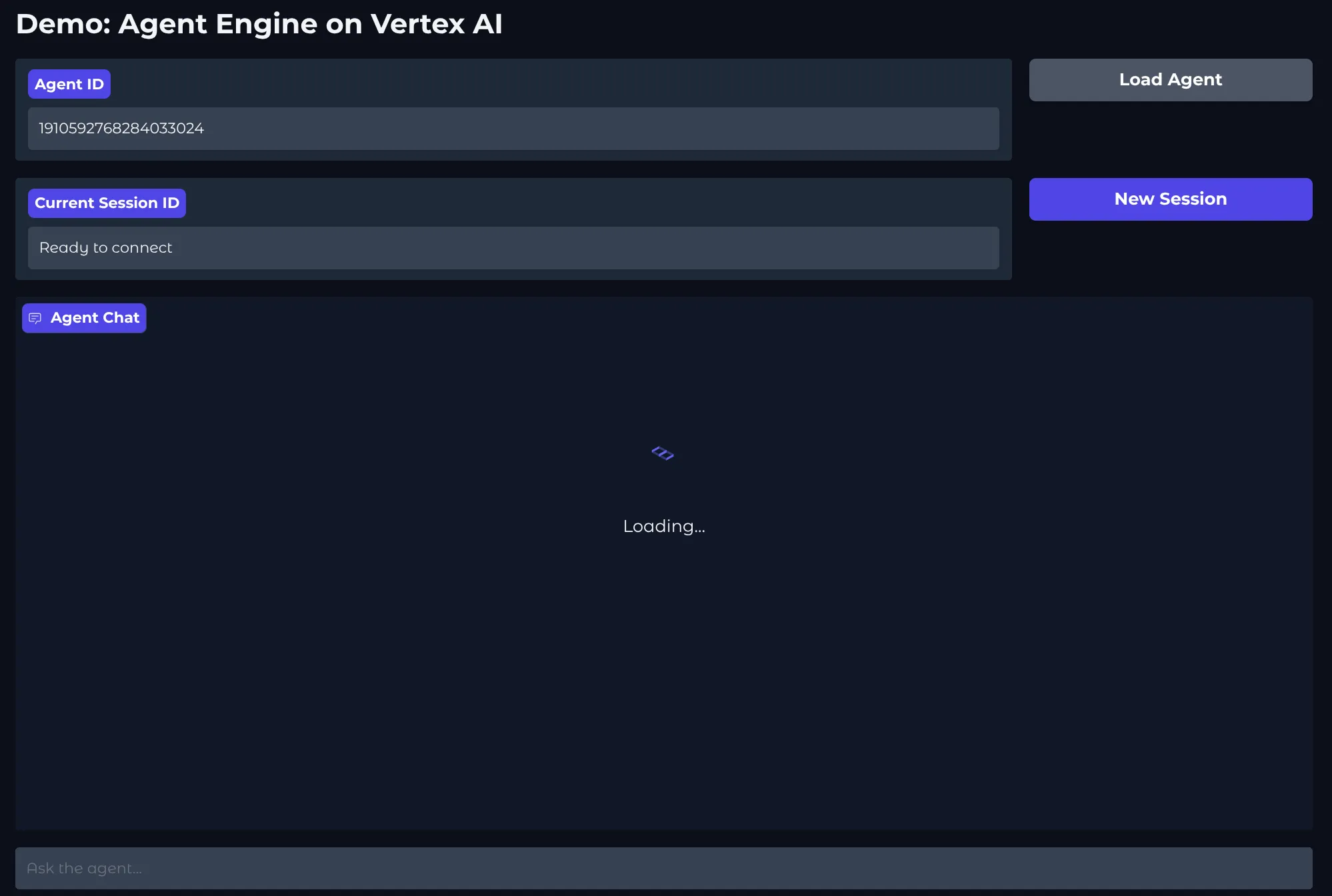
1with gr.Blocks(theme=gr.themes.Soft(), title="Vertex AI Agent Chat") as app:2 session_state = gr.State()34 gr.Markdown("# Demo: Agent Engine on Vertex AI")56 with gr.Row():7 agent_id_input = gr.Textbox(8 label="Agent ID", value=DEFAULT_AGENT_ID, interactive=True, scale=49 )10 load_btn = gr.Button("Load Agent", variant="secondary", scale=1)1112 with gr.Row():13 session_info = gr.Textbox(14 label="Current Session ID",15 value="Not initialized",16 interactive=False,17 scale=4,18 )19 reset_btn = gr.Button("New Session", variant="primary", scale=1)2021 chatbot = gr.Chatbot(height=500, label="Agent Chat")2223 chat_interface = gr.ChatInterface(24 fn=agent_chat_response,25 additional_inputs=[session_state],26 chatbot=chatbot,27 textbox=gr.Textbox(placeholder="Ask the agent...", container=False, scale=7),28 )
You can start your local application with uv run app.py
Conclusion
We walked through a complete example of how to integrate an agent deployed on Vertex AI Agent Engine with a local Gradio app.
The main goal was to help everyone understand the details of SDK interactions with a deployed agent. To look under the hood and realize that a deployed agent is an API—nothing more.
And since an agent is an API, it shouldn't be confined to just a chat box.
So, go ahead: think about where in your website or app a non-deterministic, truly intelligent action could improve the user experience—or enable a completely unique feature that was either impossible before or simply required too much work.