Building an Agent for Color It Daily, Part 1
Learn how to architect and build a production-ready multi-agent system using the Google ADK and Gemini. In this first part, we document our vision and implement our first sub-agent: The Creative Director.
Introduction
About a year ago, I built a website for my daughter called Color It Daily. She loves to draw, but we struggled to find high-quality, printable coloring pages online.
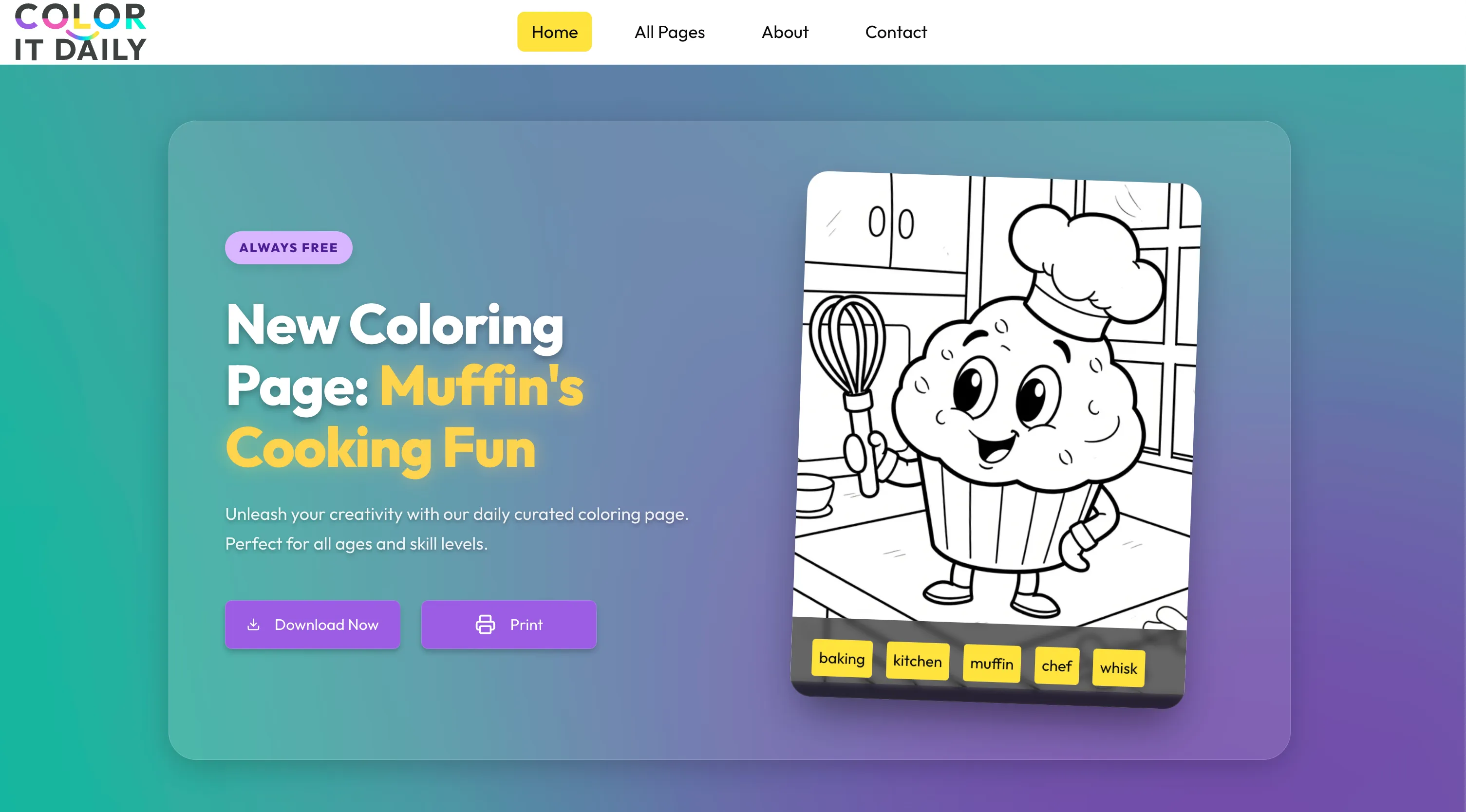
Most options were cluttered with ads and deceptive buttons designed to trick you into misclicking. Even established brands do this. It's disappointing. Finding the real download button often meant ending up with low-resolution images, huge margins, or ugly watermarks. Kids shouldn't have to deal with this nonsense just to have some fun. So, I decided to build a website that allows anyone to download high-quality coloring pages, perfectly optimized for printing.
The goal was simple: Full-sized, high-definition image optimized for effortless printing. No tracking, no ads, and no login required.
Back then (it's crazy how fast things move), open-source diffusion models struggled with coloring pages. While they could generate black-and-white images, they were often too detailed for a child to actually color.
I decided to take an open-source model and fine-tune it on a specific style: thick lines, minimal detail, and a pure white background. It took significant effort to get right. Unfortunately, the fine-tuned model didn't always produce consistent quality; it ran on my local 12GB GPU, which has its limits. To manage this, I built a script that:
- 1Uses Gemini 3 to generate text prompts (it even analyzes previous prompts to ensure variety).
- 2Uses ComfyUI (running locally) to generate 20 candidates from each prompt.
- 3Iterates until I have enough options to review.
I manually review these folders, pick the best ones, and add them to a publishing queue. Each day, a script promotes one to the featured page.
While the process is automated, the manual review is a bottleneck. I often run out of fresh content.
Since I started, the landscape has changed. We now have Nano Banana Pro which can create consistent, high-quality coloring pages.
It's time to evolve. We will be building a custom multi-agent system using the Google ADK that will handle the entire pipeline.
This is part one of a series covering the full process: designing, building, and deploying the agent.
We will explore how to architect a solution, leverage Gemini to iterate on system instructions, and build tools that not only generate images but also persist metadata to a production database.
It also touches on a topic I'm currently obsessed with: freeing agents from the chat box. We want them to interface directly with our applications.
Documentation
We will work extensively with Gemini to design and implement our solution. To ensure the results align with our vision, we must start by documenting our goals and project context.
We will create a grounding file to reuse for every prompt and query. This isn't just a static document; it is live documentation that should evolve as we make choices and discover new requirements.
In my experience, this step is the most crucial. When done well, development flows naturally. When ignored, you end up fighting your tools and losing control of the project. Consistency suffers, leading to bugs and missed expectations.
Start by asking yourself the hard questions:
- What exactly are we trying to build?
- What is the input?
- What is the expected output?
- How will the solution be deployed and integrated?
- What are the technical stack expectations?
- What are the concrete examples of success?
I use these answers to help me write the system instructions.
It's an iterative process. Look at the output, identify gaps, provide more context, and refine. Iterate until there are no unanswered questions and expectations are explicitly set.
This is where your experience should shine. You know what works and what doesn't. Be clear, be explicit, and be the architect.
This was the original prompt I used:
And the following is the reference system architecture I ended up with after a few iterations with Gemini.
I will use this document as a reference for all my subsequent work. As things change, I will use Gemini to keep this document up to date with our latest changes.
Initial system architecture
Building our First Agent
Now that we have our reference system architecture, it's time to start building.
We are building a complex multi-agent system with sequential and looped flows between sub-agents.
I usually start from the bottom, building each sub-agent first. Once they are built and tested, I start composing them.
The first sub-agent is The Creative Director. It is responsible for brainstorming unique concepts by rotating subject categories and composition strategies to ensure variety. We also need multiple tools, which we will develop first.
get_calendar_events(target_date_str): Returns holidays and observancesget_recent_history(limit): Checks the last 3 published pages to enforce varietysearch_past_concepts(concept_description): Vector search (Vertex AI) to find semantically identical past pages
Remember, tools are nothing special; they are just Python functions that take inputs and return outputs.
The only difference is that these functions are called by an LLM. Be sure to document all functions with detailed docstrings. Be explicit with expected inputs and add descriptions for all fields. The same applies to the output. These are the tools for the Creative Director sub-agent:
Creative Director Tools
With our tools in place, we use the reference system architecture to build our system instructions. This is the text prompt I used to get started:
Go through the proposed instructions. Identify what you don't like and what could be improved. You might even find something that should be done differently. If so, ask for changes, iterate, and think. If you change your requirements, remember to update the reference architecture file. This is my final system architecture:
With the tools and system instructions ready, the last step is to write the agents.py file. I also ensure there's a way to test the agent via the command line (e.g., python -m color_it_daily_agent.creative_director.agent). Here is the complete agent.py:
1import json2import asyncio34from google.adk.agents import LlmAgent5from google.adk.models import Gemini6from google.adk.runners import InMemoryRunner78from .instructions import INSTRUCTIONS_V19from .tools.calendar import get_calendar_events10from .tools.history import get_recent_history, search_past_concepts11from ..app_configs import configs1213creative_director = LlmAgent(14 name="CreativeDirector",15 instruction=INSTRUCTIONS_V1,16 model=Gemini(model=configs.llm_model),17 tools=[get_calendar_events, get_recent_history, search_past_concepts],18)1920async def main():21 from datetime import datetime22 now = datetime.now()23 current_date_str = now.strftime("%Y-%m-%d")2425 runner = InMemoryRunner(agent=creative_director)2627 user_request = {28 "current_date": current_date_str,29 }3031 await runner.run_debug(32 json.dumps(user_request),33 verbose=True,34 )3536# python -m color_it_daily_agent.creative_director.agent37if __name__ == "__main__":38 asyncio.run(main())
Once everything is set up properly (in my case, I need a Firestore instance), you can execute the first sub-agent locally. It should connect to the database, execute the tools, and output valid JSON. Take time to read throughmain(); it shows how to execute the agent via code for local testing.
Run a test of the agent with:
You should see output similar to this:
We have our first agent ready. In the next part of this series, we will work on our next sub-agent: The Stylist (the prompt engineer).